Open Source PSS: PSSParser
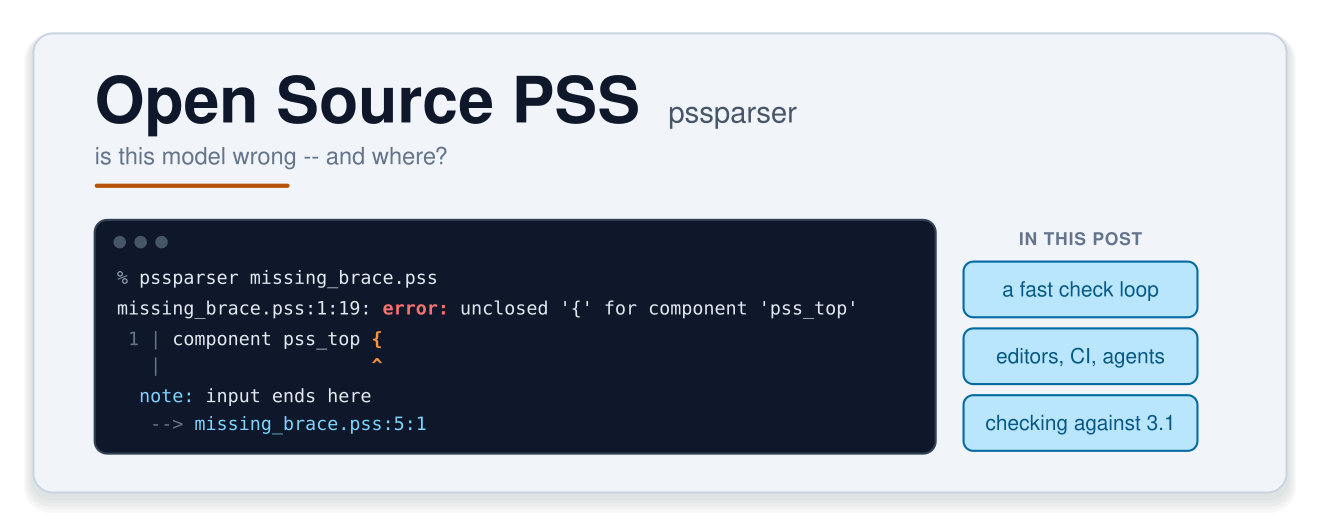
We’ve spent the last few posts looking at some of the new features in the public review draft of PSS 3.1. We’ll spend the next few looking at some open-source tools that can help as you adopt PSS. First up is a parser that forms the foundation of several other tools. While we often think of a parser as the front-end to a compilation flow, a parser has another critical task: catching and explaining errors, and helping a human (or agent) understand how to correct them.
That second task is what this post is about. We won’t look at a syntax tree once. Instead, we’ll look at what a PSS user gets from a parser: a fast, precise answer to the question “is this model wrong, and where?”
Every example below is a complete file you can download (there’s a link under each one), and every output was produced by running pssparser 3.1.7 on that file.
PSSParser in 30 seconds
pssparser is an open-source front end for the Accellera PSS language: lexer, parser, symbol resolution (linking), and an AST. The core is C++ built on ANTLR4, with Python, TypeScript (via WebAssembly) and C++ APIs on top.
One detail worth knowing up front is the version number. It’s
<PSS major>.<PSS minor>.<patch>, and it names the revision of the language
reference manual (LRM) that the parser targets, not the parser’s own feature
level. The current release, 3.1.7, tracks the PSS 3.1 public review draft
that we’ve been discussing in this series.
pssparser is distributed as a Python wheel, and can easily be installed with pip install:
% pip install pssparser
% pssparser --stats-no-timing good.pss
0 errors in 1 file
stats: 1 file processed
declarations: 1 component, 3 actions, 1 buffer, 1 fieldThe --stats report is the “did it actually read my model?” check. A clean
run that declares nothing points to a problem with how the tool was invoked,
not a clean model. The counters only cover your files. The PSS standard
library is parsed on every run, but it contributes nothing to the counts.
A fast check loop
The first way to use a parser is the simplest: a zero-setup “is my PSS well-formed?” check that runs in well under a second. You can bind it to a shell alias, put it in a pre-commit hook, or run it in an agent loop, all before you spin up a full tool. What makes that loop worthwhile is the quality of the answers. Let’s look at a few examples.
Pointing at the actual problem
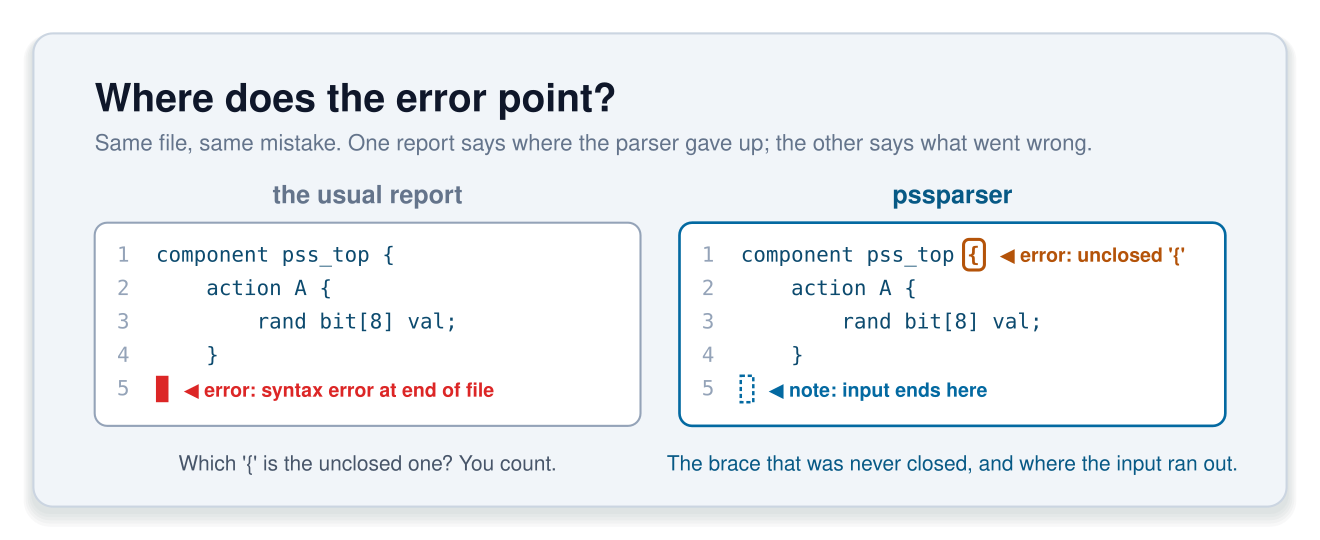
Here’s a component with a brace that was never closed:
component pss_top {
    action A {
        rand bit[8] val;
    }
missing_brace.pss:1:19: error: unclosed '{' for component 'pss_top'
1 | component pss_top {
| ^
note: input ends here
--> missing_brace.pss:5:1Source: missing_brace.pss (raw)
The error points at the brace that was opened and never closed, not at the end
of the file. The note: then points to the second location that matters:
where the input ran out. Compare that with the classic “syntax error at end of
file”, which leaves you to work out which of your forty braces is at fault.
After all, a diagnostic is only useful if its location is actionable.
Suggesting the fix
A mistyped field name is reported with the likely intended name:
constraint { adr < 10; } // field is 'addr'did_you_mean.pss:4:22: error: unknown identifier 'adr'; did you mean 'addr'?
4 | constraint { adr < 10; } // field is 'addr'
| ^~~
| addrSource: did_you_mean.pss (raw)
Two details are worth noting. The underline covers the whole offending
token, not just its first column. And, the nearest-match suggestion is often the
difference between a five-second fix and a grep session.
Naming the construct
This one is a mistake a SystemVerilog user might make when getting started with PSS: accidentally using a PSS keyword as an indentifier.
action Read { input Mem in; } // 'in' is a keywordkeyword_ident.pss:4:30: error: expected identifier before 'in' in action 'Read'
4 | action Read { input Mem in; } // 'in' is a keyword
| ^~
note: action 'Read' begins hereSource: keyword_ident.pss (raw)
The message names both the token that caused the problem and the construct it appeared in. “Expected identifier before ‘in’ in action ‘Read’” is something you can act on. “Unexpected token” isn’t.
Keeping a cascade from burying the real error
One real mistake can produce a pile of follow-on errors. --max-errors
(default: 20) caps how many errors are reported per file:
% pssparser --max-errors 2 many_errors.pss
...
many_errors.pss:4:44: error: too many errors (2); stopped reporting further errors for this file
 4 |     action C { rand bit[8] v; constraint { z < 1; } }
   |                                            ^

3 errors in 1 file
Source: many_errors.pss (raw)
Errors past the cap are dropped, not hidden. Re-run with --max-errors 0 to see
all of them. The cap counts errors only, so warnings never trigger it.
A stable name for every diagnostic
Every diagnostic that pssparser produces has a stable ID, and you can ask the tool about any of them:
% pssparser --list-markers          # every marker: ID, severity, checker, summary
% pssparser --describe PSS002
PSS002  [error]  checker: core
Unknown symbol reference

The linker could not resolve a named type, identifier, or method.  Messages include patterns such as:
...
The IDs are grouped into documented bands. PSS001–PSS099 are general
diagnostics. PSS020–PSS029 cover syntax errors. PSS100–PSS199
are new rules introduced by PSS 3.1. IDs are what make diagnostics
addressable: you can put them in a waiver file, a bug report, or a
command-line flag, which is what we’ll do next.
Deciding what’s a warning
PSS 3.1 deprecates the brace-less form of a compile if branch. pssparser
reports it as a warning by default (exit code 0), and you can promote it to an
error, by ID, whenever you’re ready to enforce the rule:
package p {
    compile if (true)
        const int X = 1;
}
compile_if.pss:3:9: warning: 'compile if' branch without enclosing braces is deprecated
3 | const int X = 1;
| ^~~~~~~~~~~~~~~~
note: 'compile if' begins here
--> compile_if.pss:2:5
2 | compile if (true)
| ^
1 warning in 1 file
% pssparser -Werror=PSS104 compile_if.pss
compile_if.pss:3:9: error: 'compile if' branch without enclosing braces is deprecated [-Werror=PSS104]
...Source: compile_if.pss (raw)
The [-Werror=PSS104] suffix lets a reader tell “this is an error” apart from
“someone asked for this to be an error.” -Wno-error=ID exempts a single ID
from a blanket -Werror. And one ordering detail that can catch you out:
--no-warnings -Werror reports nothing at all, because warnings are removed
before any are promoted.
Machine-readable output: editors, CI, and agents
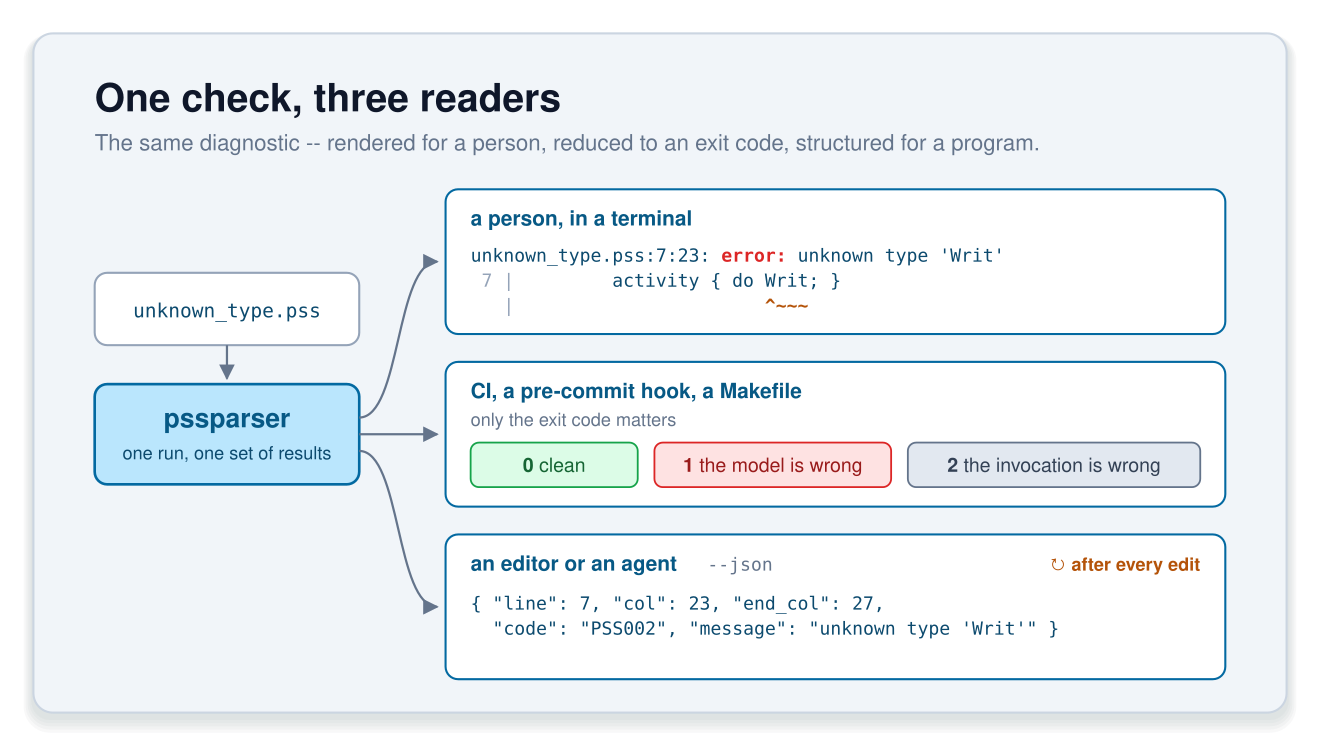
Everything so far has been intended for human consumption. But, programs and LLMs often benefit from a differently-structured output. pssparser supports structured JSON output for these usecases.
JSON diagnostics
% pssparser --json unknown_type.pss
{
  "diagnostics": [
    { "file": "unknown_type.pss", "line": 7, "col": 23, "severity": "error",
      "message": "unknown type 'Writ'", "end_col": 27, "code": "PSS002" }
  ],
  "summary": { "errors": 1, "warnings": 0, "files": 1 }
}
Source: unknown_type.pss (raw)
(The JSON above has been condensed. The tool prints one field per line.)
Each diagnostic carries its ID (code), its full span (end_col), and, when
there is one, a related array of {file, line, col, label} entries: the
same information as the rendered note: lines, in structured form. Adding
--stats adds a stats object whose declaration counters are always
present, even when they’re zero, so a consumer never needs to handle a
missing key.
Exit codes as the CI contract
| Exit code | Meaning |
|---|---|
0 |
No errors |
1 |
At least one error (counted after -Werror promotion) |
2 |
Usage problem: a bad flag, a file that can’t be read |
130 |
Interrupted (Ctrl-C) |
The 2 is the one that matters in CI. It separates “your model is broken” from
“your invocation is broken”, which many tools lump together.
Checking after every edit
In addition to targeting precise and actionable error and warning messages, pssparser targets speed. With processing speeds of well under a second for moderately-sized projects, a tool or an AI agent can perform frequent checking without slowing down the development process.
% pssparser --stats good.pss
...
  timing:       stdlib 26.4ms, parse (incl. read) 0.2ms, link 1.1ms, checkers 0.0ms
That’s cheap enough for an agent to check after every edit rather than once at the end. A stable ID, an exact span and a “did you mean” suggestion are also exactly the kind of feedback an LLM can act on without guessing. is only a few lines:
Edit, check, feed the diagnostics back, repeat. One caveat applies to agents and people alike: this checks conformance, not intent. A parser can tell you a model is ill-formed. It can’t tell you that the model describes the wrong scenario.
Checking your model against the 3.1 draft
Now to connect this back to the rest of the series. You’ve read about the new features in PSS 3.1, and presumably you’ve written a little PSS to try them out. A parser that tracks the draft is how you find out whether what you wrote is actually legal.
Template strings
The Target Code post covered PSS 3.1’s template strings. pssparser doesn’t treat a template as an opaque string. Mustache expressions, directives, and template comments are all recognized and checked:
exec body C = """n={{ 1 + }}""";template_malformed.pss:3:28: error: malformed mustache expression: unexpected '+'
3 | exec body C = """n={{ 1 + }}""";
| ^~~~~~~~~
note: if '{{' was intended as literal text, separate the braces ('{ {')Source: template_malformed.pss (raw)
Note the note:. It isn’t restating the complaint, it’s a recovery hint:
if you meant a literal {{, here’s how to write it.
The same text, legal in one place and not another
Template-string rules depend on context. This template is fine as the body of
an exec block, but illegal as the initializer of a constant, because the value
of sz isn’t known until a test is generated:
component pss_top {
    int sz;
    static const string bad = """n={{sz}}""";   // PSS115
    action A {
        exec body C = """n={{sz}}""";           // fine -- not a constant context
    }
}
template_const.pss:3:25: error: template string with non-constant elements is not a constant expression
3 | static const string bad = """n={{sz}}"""; // PSS115
| ^~~Source: template_const.pss (raw)
That’s not a rule you want to discover at solve time. Markers
PSS108–PSS115 cover template strings. Note that pssparser checks templates
but doesn’t expand them. It hands back their structure, with byte offsets,
and leaves expansion to the tool that generates the code.
The 3.1 standard library
The 3.1 standard library is available too, so models that import it resolve the way they should:
import addr_reg_pkg::*;
component pss_top {
    action A { addr_claim_s<> claim; }
}
0 errors in 1 fileSource: stdlib_addr.pss (raw)
For feature-by-feature status, including the honest “known limits” sections, see the PSS 3.1 features page in the documentation.
Conclusions and next steps
The point of a parser in this usecase isn’t the AST – it’s accurate, actionable errors, whether the reader is a person, a CI job or an agent.
A few ways you can help:
- Ask for the platforms you need. Wheels on PyPI cover CPython 3.10–3.14 on Linux x86_64 and aarch64, macOS arm64, and Windows x86_64 (3.14 is Linux-only for now). Requests drive the platform list, so if you need something else (Intel macOS, for example), ask.
- File issues on GitHub for anything that doesn’t work, and especially for bad or misleading locations. A caret in the wrong place is a bug in the same way a wrong parse is.
After all, the quality of a parser depends on having a community that uses it and files bugs and enhancement requests. Your contributions are welcome and appreciated!
Next time, we’ll look at the linter: the built-in rules, what you get out of the box, and how to write your own checks as plug-ins.
References
- pssparser on GitHub
- pssparser on PyPI
- pssparser documentation: quickstart, command line, markers, PSS 3.1 features
- Example files used in this post: good.pss, missing_brace.pss, did_you_mean.pss, keyword_ident.pss, many_errors.pss, compile_if.pss, unknown_type.pss, pss_check.py, template_malformed.pss, template_const.pss, stdlib_addr.pss
- PSS 3.1 Draft
- Feedback Forum
- Post 1: PSS 3.1 Is Out for Public Review
- Post 2: Simplifying Constraint Modeling
- Post 3: Simplifying Composition
- Post 4: Target Code
- Post 5: Target Runtime